3 posts tagged with "branded-links"

View All Tags

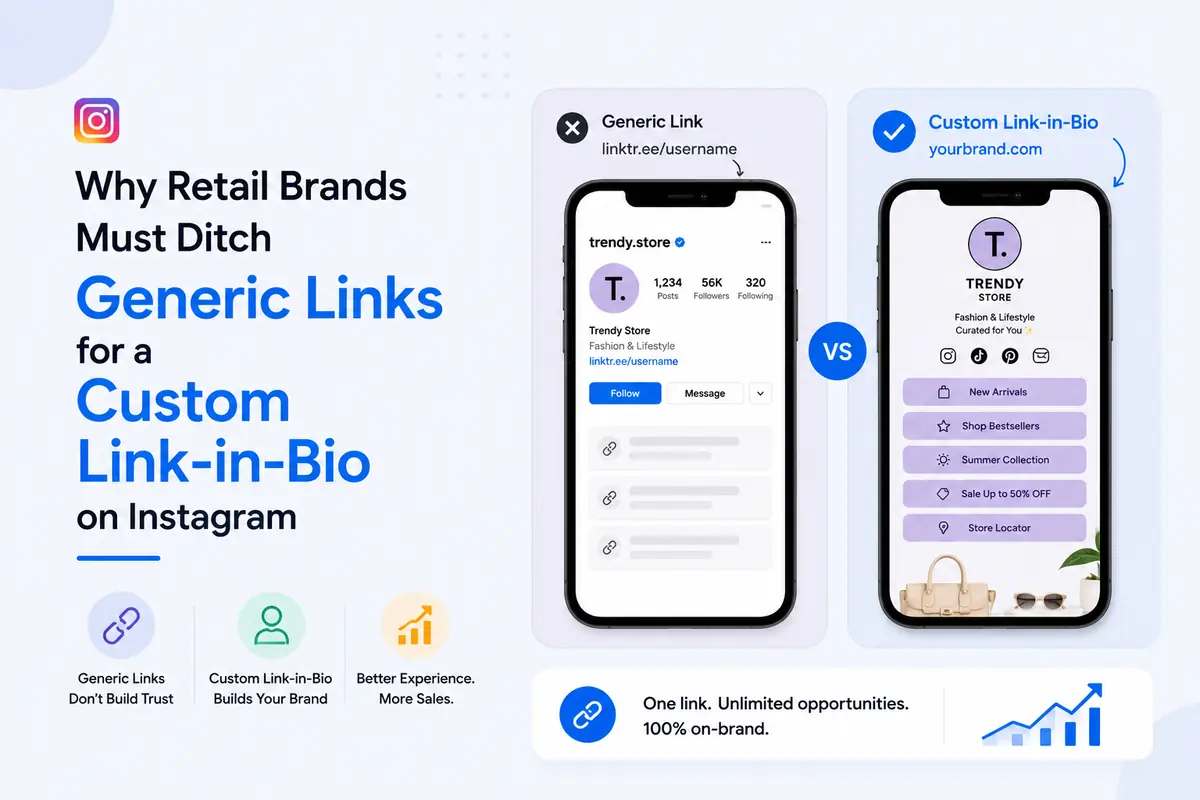
Why Retail Brands Must Ditch Generic Links for a Custom Link-in-Bio on Instagram

· 9 min read
SimpleURL Team
Product & Engineering

A generic link in your Instagram bio sends every follower to the same static page, no matter what post, Reel, or drop brought them there, which means most of your catalog never gets seen.

A custom link in bio for Instagram fixes this by giving each collection, drop, or offer its own trackable, on-brand destination, so the follower who just watched your Reel lands on that exact product instead of your homepage.

TL;DR

  • → One static link = one destination for every follower, regardless of intent
  • → Custom link-in-bio = the right product or drop, in front of the right follower, every time
  • → Generic subdomains read as "free tool." Branded links read as "real brand."
  • → No link-level tracking = no idea which drop, collection, or platform actually sells
  • → Retail catalogs need structure (collections, drops, seasons), not a flat list of buttons

A single generic link quietly buries most of what you sell, because it can only point to one place at a time.

  • Your Reel this week features a new arrival. Your bio link still points to last month's sale.
  • A follower has to leave Instagram, land on your full homepage, and search for the exact item they just saw.
  • Most don't. They close the tab.

That's the whole friction problem, in one sentence.

  • A follower who taps linktr.ee/yourbrand sees a stranger's tool before they see your brand.
  • For a retail brand trying to look premium, established, or trustworthy enough to hand over a card number, that's the wrong first impression at exactly the wrong moment.

Without per-link data, you cannot tell whether last week's Reel drove browsing, add-to-carts, or nothing at all. Instagram's own shopping data shows brands that tag and structure products for discovery see meaningfully higher engagement than those relying on a flat link. A generic bio link gives you none of that visibility.


  • For a retail catalog, the real difference isn't features on a spec sheet, it's whether the page can represent a collection instead of a link list.
  • A single generic link has one destination. A basic link-in-bio tool gives you a stack of buttons. A custom, retail-structured link-in-bio gives you a shoppable hub organized the way your store actually is, by drop, by collection, by season.

Pro tip: if you want the full side-by-side on Linktree, Later, Beacons, and SimpleURL feature by feature, we've already broken that down in Link in Bio vs. Linktree vs. SimpleURL. This piece is about what changes specifically once you're routing a product catalog, not a general tool comparison.


A custom link-in-bio converts better because it removes the extra searching between "I saw it" and "I bought it."

Routing followers straight to the exact drop or collection

Instead of one link for everything, you point each caption or Story to a specific section of your page, or a specific product link entirely. The follower who saw the drop in your Reel lands on the drop, not your full catalog.

On-brand pages that mirror your storefront

  • Wait, isn't Linktree free and good enough for my brand? For a hobby account, sure.
  • For a retail brand asking someone to trust you with a purchase, a page that carries someone else's branding and layout constraints works against you.
  • Your bio link should look like an extension of your storefront, same colors, same logo, same visual language, not a borrowed template.

Fewer taps between "I want that" and checkout

Every extra tap between desire and purchase loses a percentage of buyers. A page structured around your current drop removes taps instead of adding them.


A retail link-in-bio page needs structure a creator's page never has to think about, because you're routing a catalog, not a handful of links.

  • A featured drop or new arrivals slot, above the fold. Whatever you're pushing this week gets the top spot, full stop.
  • Catalog structure grouped by collection, not one long flat list of every SKU you've ever sold.
  • Visual consistency with your storefront, colors, logo, and product imagery that match, so the jump from Instagram to bio page to store feels seamless.
  • A path back to your full store and current offers, for the follower who wants to browse beyond the featured item.

Pro tip: swap your featured drop the same day it changes on your actual store. A bio link showing a sold-out item is worse than no bio link at all.

For layout mechanics like button hierarchy and mobile thumb-zone sizing, our design strategies guide covers that in depth. This is about what goes on the page for a catalog, not how the buttons are styled.


This takes under 15 minutes once your catalog links are ready.

  1. Map your current drops and collections. List what you want followers to reach this month, new arrivals, best sellers, a seasonal sale, your full store.
  2. Build your page in SimpleURL's Link-in-Bio tool. Add your logo, brand colors, and one link per collection or drop.
  3. Connect a branded domain and UTM tracking through Branded Domains and the UTM Builder, so every click is attributed to the post or platform that sent it.
  4. Update it around every launch. When the drop changes, the page changes, same day.

For the exact click-by-click walkthrough and platform-by-platform bio setup, our complete link-in-bio guide covers that step by step.


You prove ROI by tracking clicks per collection, not just total taps on your bio link.

  • Which drop gets clicked, so you know what to restock or promote further
  • Which platform sends buyers, Instagram Reels vs. Stories vs. feed posts, using UTM tags on each
  • How click volume compares to actual add-to-carts, since Instagram's average shopping checkout conversion sits in the low single digits, meaning most of your job is getting the right follower to the right product, not assuming everyone who clicks will buy

Check the short link analytics dashboard weekly. If a collection link is dead, replace it before it wastes another week of traffic.


Fashion and apparel

Lead with the current drop or new arrivals. Group secondary links by category (tops, bottoms, accessories) rather than by product name, since browsing behavior in fashion is category-first.

Beauty and skincare

Feature a hero product or routine bundle up top, with a secondary link to a quiz or routine builder if you have one. Beauty buyers respond well to "shop the routine" framing over a flat product grid.

Home, lifestyle, and accessories

Lead with a seasonal collection (new arrivals, gifting, a seasonal refresh) since home purchases are more occasion-driven than habitual. A secondary link to a "shop by room" or "shop by category" grouping helps browsers self-select.


  • Listing the entire catalog with no hierarchy. If every product has equal visual weight, nothing stands out and browsers leave without clicking anything.
  • Forgetting to swap the featured item after a drop sells out. Nothing kills trust faster than a follower clicking through to a "sold out" page for something you promoted an hour ago.
  • No tracking, so no idea what's actually selling. Without per-link data, you're deciding next week's content based on guesses, not on what your own traffic already told you.

Frequently Asked Questions

A page organized around your current drops or collections, with a branded domain and click tracking on each link, works best for retail specifically. General "best tool" rankings matter less than whether the tool can structure a catalog, not just list links.

For serious catalog and campaign tracking, yes. Linktree's free tier works for a simple link list, but retail brands need branded domains and per-product analytics that free tiers typically don't include.

Yes, if your link-in-bio tool supports per-link analytics. Each collection or product link should show its own click count, device type, and traffic source, not just one combined total for the whole page.

Use the same logo, brand colors, and product photography as your actual store, and connect a branded domain instead of a generic subdomain. Visual consistency is what makes the jump from Instagram feel seamless rather than jarring.

It helps by shortening the path between discovery and purchase. Instagram already drives significant product discovery, and a link-in-bio page structured around your current catalog turns that discovery into a shorter, clearer path to checkout instead of a dead end at your homepage.


Stop Sending Every Follower to the Same Dead End

Your catalog changes every week. Your bio link should too.

Build a branded, catalog-structured page with SimpleURL's Link-in-Bio, connect it to your own domain, and track exactly which drop your followers are actually clicking. Get started free and have your first collection live before your next post goes out.

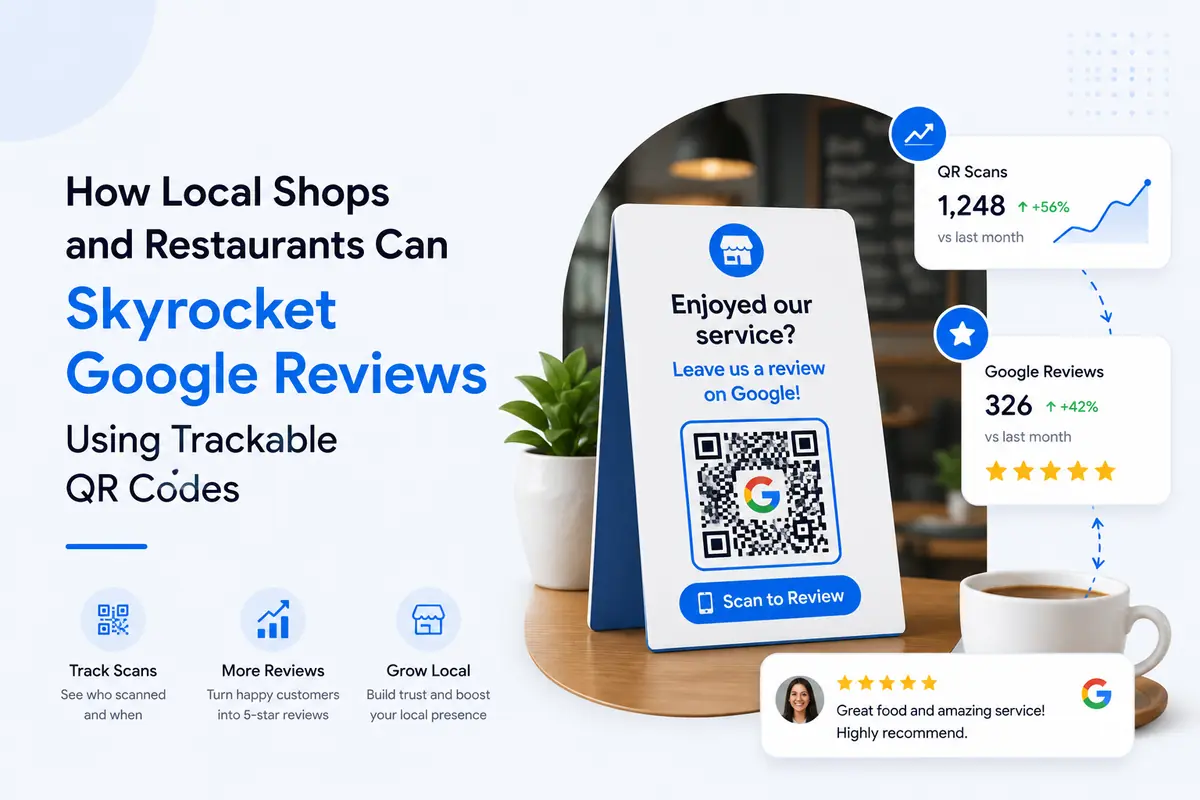
How Local Shops and Restaurants Can Skyrocket Google Reviews Using Trackable QR Codes

· 10 min read
SimpleURL Team
Product & Engineering

Trackable QR codes get you more Google reviews because they remove the single biggest barrier: friction. Print one on a receipt, table tent, or checkout counter, and a happy customer goes from "I should leave a review" to "done" in under 15 seconds, while you see exactly which touchpoint drove the scan.

TL;DR

  • → Static, non-trackable QR codes = a black box. You get scans, but zero data on what worked.
  • → Trackable QR codes = scan counts, device type, location, and time, all tied to one review link.
  • → Google officially endorses QR codes for review requests. Review gating and incentives are what get you penalized, not the QR code itself.
  • → Placement beats persuasion. Where you put the code matters more than how you word the ask.
  • → Track results weekly, kill dead placements, double down on what scans.

I've rolled this exact system out for a handful of local businesses over the past year, and the pattern is always the same. The businesses that treat the QR code as a complete system, not a sticker, are the ones whose review count actually moves.


Why Google Reviews Decide Whether Local Customers Choose You

Reviews are the trust layer that sits between your Google Business Profile and a paying customer walking through your door.

1. How reviews drive Map Pack ranking and local SEO

  • Review count, review recency, and review content all factor into how Google ranks you in the local Map Pack.
  • Businesses with 50+ Google reviews generate far more leads than those sitting under 10, and review velocity (how often new ones land) signals to Google that you're an active, trustworthy business worth surfacing.

2. How reviews build trust before the first visit

According to BrightLocal's 2026 Local Consumer Review Survey, 97% of consumers read reviews before choosing a local business, and 31% will only consider businesses rated 4.5 stars or higher, nearly double the share who said the same in 2025.

That's not a soft preference anymore. It's a filter.

3. The real cost of having fewer reviews than competitors

If the shop two doors down has 80 reviews and you have 12, you're invisible before the customer even considers your service quality. You're not losing on price. You're losing on proof.


What Is a Trackable QR Code for Google Reviews?

A trackable QR code is a QR code built on top of a short link, so every scan gets logged before the customer lands on your Google review page.

Trackable vs. basic QR codes, what's the difference

  • A basic QR code is a static image encoding a fixed URL. Once printed, it can't be changed and gives you zero data.
  • A trackable QR code, built through a tool like SimpleURL's QR Code Generator, points to a short, branded link instead of the raw URL. You can update the destination anytime, without reprinting anything.

What "trackable" actually lets you measure

  • Total scans and unique scans per code
  • Device type (mobile vs. tablet)
  • Time of day and day of week
  • Location, if you run more than one site

That's the difference between guessing and knowing.


Why QR Codes Beat Every Other Way to Ask for Reviews

A QR code wins because it collapses the path between "I had a good experience" and "I told Google about it" into one motion.

Zero friction, one scan to review

A raw Google review link looks like a wall of text and random characters. Nobody types that from a printed card. A QR code skips the typing entirely.

Verbal requests rely on memory. Text links rely on someone bothering to tap and then type a destination manually if autofill fails. A scan does the routing for them.

Have you ever tried typing a 60-character Google Maps link into your phone from a printed card, by hand, while your coffee gets cold? Me neither. Nobody does. That's exactly the gap a QR code closes.


How to Create Your Google Review QR Code, Step by Step

This takes under 15 minutes from a standing start.

Open your Google Business Profile, and use Google's own "Get more reviews" link generator, or copy your review link directly from your profile.

Paste your review link into SimpleURL's QR Code Generator, attach it to a branded short domain through Branded Domains, and generate the code.

Step 3: Test and download in the right format

  • Scan it yourself on three different phones before printing anything
  • Download a high-resolution version for print (table tents, receipts) and a smaller version for digital use (email signatures, SMS)

Pro tip: keep the destination link, not the QR image, as the thing you update. That way one code works forever, even if your review page or campaign changes.


Where to Place Your Review QR Codes for Maximum Scans

Placement decides 80% of your results. Wording decides the rest.

For restaurants and cafes

  • Table tents, positioned where a guest naturally looks while waiting for the check
  • Printed at the bottom of digital and physical receipts
  • Near the register, at eye level, not floor level

For hotels and B&Bs

  • Room key sleeves and in-room welcome cards
  • Front desk checkout counter
  • Post-stay confirmation and follow-up emails

For local shops and retail

  • Printed on shopping bags and packaging inserts
  • At the counter, next to the card reader
  • On the storefront window for walk-by scans

For salons and service businesses

  • At the styling station or treatment table
  • Printed on the service invoice
  • In a same-day follow-up text

For a restaurant-specific deep dive on placement and receipt design, I'd point you to our full guide on short links for restaurant reviews.


How to Ask for Reviews the Right Way, Without Breaking Google's Rules

Google actively endorses QR codes for review requests. The violation is never the QR code. It's how you use it.

The exact moment to ask

Ask right after the experience is complete, not while it's still happening. A card at checkout works. A staff member hovering with a tablet while the customer types does not.

Simple scripts your staff can use

  • "We'd appreciate it if you could share your experience on Google." Neutral, compliant, no pressure.
  • Avoid: "If you had a great time, leave us five stars." That's soliciting a specific rating, and it's a policy violation.

Wait, isn't asking for reviews against Google's rules?

No. Asking is fine, and Google's own Business Profile Help page recommends sharing a review link or QR code as a best practice. What's prohibited is filtering who you ask based on how happy they seem, known as review gating, and offering any incentive (discounts, freebies, loyalty points) in exchange for a review.

Google's enforcement has been tightening on this specifically, since a profile with only glowing reviews and zero criticism actually looks manufactured, not trustworthy.

You could also chase happy customers into the parking lot asking for five stars. Google wouldn't approve, and neither would your local reputation.


How to Track and Improve Your Results

Metrics to watch

  • Scans vs. clicks vs. completed reviews (not everyone who scans follows through)
  • Which physical placement drives the most activity
  • Peak scan times, so you know when engagement is highest

How to A/B test placements and signage

  • Run two versions of your table tent or counter card with separate short links. Same offer, different placement or wording. Whichever scans more, wins.
  • Simple, fast, and it removes guesswork from something most owners have been doing on instinct.

Turning data into more reviews over time

SimpleURL's short link analytics dashboard shows scan counts and trends by link in real time, so you can see decay or growth and act on it instead of finding out three months later that a placement went cold.

That's the whole point of "trackable." Guessing stops being your strategy.


Common Mistakes That Kill Your Review QR Code Results

  • Sending customers to the wrong page. Double-check the destination points straight to your Google review tab, not your homepage or menu.
  • No clear call to action on the signage. A QR code with no label just looks decorative. Add one line: "Enjoyed your visit? Scan to leave us a review."
  • Ignoring or not responding to reviews. Businesses that reply to a meaningful share of their reviews see stronger repeat engagement than those that never respond. Silence reads as indifference, even when the review is positive.

Best Tools and Templates to Get Started

What to look for in a review QR code generator

  • Dynamic destinations, so you can update the link without reprinting
  • Built-in scan analytics by device, time, and location
  • A branded domain option, so the link itself builds trust before the scan

Free signage and table-tent templates

Start simple: one line of copy, your QR code, and your logo. Resist the urge to add three more calls to action on the same card. One ask, one code, one action.


Frequently Asked Questions

1. Is it against Google's policy to ask for reviews with a QR code?

No. Google's Business Profile Help explicitly recommends sharing a review link or QR code as a way to remind customers to leave feedback. What's prohibited is gating reviews by sentiment or offering incentives for them.

2. How much do Google reviews affect local ranking?

Reviews are one of the factors behind Map Pack visibility, alongside proximity and relevance. Review count, recency, and content all play a role, and businesses with a steady flow of recent reviews tend to outrank those with a stagnant profile.

3. Can I see who scanned my review QR code?

You can't see individual identities, but a trackable QR code shows you scan counts, device type, approximate location, and time of day, which is enough to tell you which placement is working.

4. How many reviews do I need to rank in the Map Pack?

There's no fixed number. What matters more is having noticeably more reviews than nearby competitors and keeping new ones coming in consistently, rather than hitting a one-time total and stopping.

5. What's the best place to put a review QR code in a restaurant?

Table tents at eye level and the bottom of receipts consistently outperform other placements, since both hit the guest at the natural end of the visit, right when the experience is freshest.


Start Turning Happy Customers Into Public Proof

More Google reviews come down to removing friction and tracking what works, not clever wording or one-time pushes.

Build your first trackable review QR code with SimpleURL's QR Code Generator, pair it with a branded link through Branded Domains, and check your scan data in the analytics dashboard after your first week live.

Sign up free and have your first code live before your next shift starts.

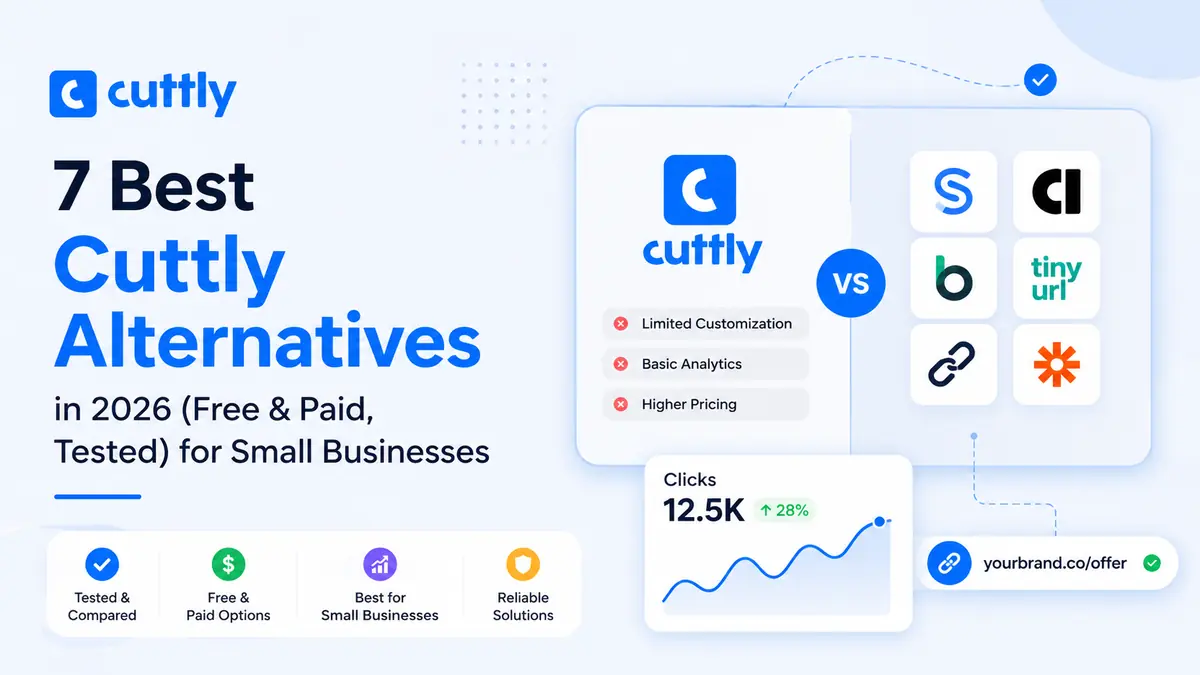
7 Best Cuttly Alternatives in 2026 (Free & Paid, Tested) for Small Businesses

· 13 min read
SimpleURL Team
Product & Engineering

Short on time? Here is the bottom line. After testing the most popular URL shorteners, my top Cuttly alternative for small businesses is SimpleURL because it balances branded links, clean analytics, and fair pricing.

Want a household name instead? Bitly.

Need the strongest branded domains? Rebrandly.

I set out to evaluate every popular Cuttly alternative the way a busy small business owner would. No jargon. Just what actually works.


TL;DR: Best Cuttly Alternatives at a Glance

Here are the top picks by use case, so you can skim and go.

  • Best overall for small businesses: SimpleURL → branded links + simple analytics + fair pricing
  • Best free option: TinyURL → shorten links with zero signup
  • Best for branded links: Rebrandly → custom domains done right
  • Best for analytics and custom domains: Short.io → deep tracking on a budget
  • Best for teams and API: Dub.co → modern and developer friendly
  • Most recognized name: Bitly → reliable, but the limits add up
  • Best lightweight paid tool: T.ly → cheap, fast, no clutter

How I Tested These Cuttly Alternatives

I tested each tool with real links, not just their homepages. That is the only way to spot the gaps.

Here is the exact checklist I used for every tool:

  • Signed up and timed how long setup took
  • Created a branded short link with a custom slug
  • Checked the analytics dashboard for click tracking depth
  • Tested link creation on mobile
  • Noted the real free plan limits before any paywall

Pro tip: Before you switch, list your top 3 must-have features. Most people only need branded links, click tracking, and reliability. Everything else is a bonus.


Why Look for a Cuttly Alternative in 2026?

Most small businesses outgrow Cuttly because of tight plan limits and thin branded link features. The tool is fine to start. It just stops scaling with you.

1. Pricing and plan limits

Cuttly gets expensive fast once you cross the free tier. Link caps, feature locks, and branded domain restrictions push you toward a paid plan sooner than expected.

  • Limited links and clicks on lower tiers
  • Branded domain features gated behind higher plans
  • Costs climb as your link volume grows

2. Feature gaps

Cuttly covers the basics but leaves gaps that matter for marketing. Analytics feel shallow when you run real campaigns.

  • Basic reporting compared to modern rivals
  • Fewer native integrations with marketing tools
  • Limited team collaboration features

3. Common complaints from small business users

The most common frustration I hear is the dashboard feeling dated and the analytics feeling thin. One freelancer I spoke with switched simply because she could not add a second custom domain without upgrading.

Small gaps. Big friction over time.

4. What to Look for in a URL Shortener

The right Cuttly alternative comes down to four things for small businesses. Nail these and the rest is noise.

Branded links win more clicks because people trust names they recognize. A link on your own domain looks credible in a way a random string never will.

  • → Branded links = higher click-through and trust
  • → Random links = lower clicks and more skepticism

6. Click analytics and tracking

You cannot improve what you cannot measure. Good analytics help you make data-driven decisions from clicks by location, device, and time.

  • Track total clicks and unique visitors
  • Break down by device, country, and referrer
  • Export data for your reports

7. Free plan value

The free plan should be usable, not a demo. Check the link cap, click cap, and whether branded links are included before you commit.

8. Ease of use and integrations

The best tool is the one you actually use daily. Look for a clean dashboard, bulk link creation, and integrations with the apps you already run.


7 Best Cuttly Alternatives in 2026 (Comparison Table)

Here is the quick comparison before the detailed reviews below.

ToolBest forFree planStandout feature
SimpleURLSmall businesses overallFree trialBranded links plus clean analytics
BitlyBrand recognitionLimitedTrusted, widely supported
RebrandlyBranded linksLimitedCustom domain management
Short.ioAnalytics and custom domainsYesDeep tracking on a budget
Dub.coTeams and developersYesModern API and collaboration
TinyURLQuick free linksYesNo signup needed
T.lyLightweight paid useYesSimple and affordable

Cuttly Alternatives: Full Feature Comparison

Here is how Cuttly stacks up against every alternative on the features small businesses actually use.

ToolBranded domainAnalytics depthQR codesLink-in-bioTeam accessFree option
CuttlyYes (paid)Basic to advanced by tierYesLimitedTeam plansYes (30 links)
SimpleURLYes (Pro and up)City and device levelYesYes (1 to 50 pages)Team planFree trial
BitlyYes (paid)SolidYesYesPaid plansLimited free
RebrandlyYes (core feature)GoodYesAdd-onYesLimited free
Short.ioYes (free too)StrongYesLimitedYesYes
Dub.coYesGoodYesLimitedYesYes
TinyURLPaidBasicYes (paid)NoLimitedYes
T.lyYes (paid)GoodYesNoLimitedYes

The pattern is clear. SimpleURL and Short.io deliver branded links and real analytics earliest, while TinyURL and T.ly stay lighter and simpler.


The 7 Best Cuttly Alternatives (Reviewed and Tested)

Each review below follows the same structure so you can compare fairly.

1. SimpleURL: Best Overall for Small Businesses

SimpleURL is my top pick because it delivers branded links and readable analytics without the enterprise price tag. It feels built for owners who market their own business.

Key features:

  • Branded short links on custom domains
  • Clean click analytics with location and device data
  • Bulk link creation for campaigns
  • Simple dashboard with a short learning curve

Pricing: 7 to 14 day free trial, then Hobby from $9.99/mo, Pro $24.99/mo, and Team $49.99/mo. See full SimpleURL pricing.

Pros:

  • Easy for non-technical users
  • Strong value for the feature set
  • Branded links without a steep upgrade

Cons:

  • Smaller brand name than Bitly
  • Fewer niche integrations than enterprise tools

Best for: Small businesses that want branded links and clear tracking without complexity.

Explore the SimpleURL toolkit: QR code generator, link-in-bio pages, and developer API.


2. Bitly: Most Recognized Name

Bitly is the safe, familiar choice that almost every platform supports. You trade some flexibility for that recognition.

Key features:

  • Trusted, widely whitelisted links
  • Solid analytics dashboard
  • QR code generation
  • Broad integration support

Pricing: Free plan with tight limits, paid plans scale up quickly.

Pros:

  • Instantly recognized and trusted
  • Reliable uptime

Cons:

  • Free plan limits feel restrictive
  • Custom domains cost more

Best for: Businesses that value a trusted, familiar link brand.


Rebrandly is the specialist for branded domains and link management. If your brand is the point, this is the tool.

Key features:

  • Excellent custom domain handling
  • Link management at scale
  • Team workspaces
  • UTM builder for campaigns

Pricing: Limited free tier, paid plans unlock more domains and links.

Pros:

  • Best in class for branded links
  • Great for managing many domains

Cons:

  • Advanced features can overwhelm beginners
  • Costs rise with link volume

Best for: Brands that live and die by branded, on-domain links.


4. Short.io: Best for Analytics and Custom Domains

Short.io gives you deep analytics and custom domains without a premium price. It punches above its weight for data lovers.

Key features:

  • Detailed click analytics
  • Free custom domain support
  • Link targeting by device or location
  • Team access

Pricing: Generous free plan, fair paid upgrades.

Pros:

  • Strong analytics for the price
  • Custom domains without a big upgrade

Cons:

  • Interface takes a little learning
  • Some features feel technical

Best for: Marketers who want data depth on a small budget.


5. Dub.co: Best for Teams and API

Dub.co is the modern, developer friendly option with clean collaboration features. It feels fresh and fast.

Key features:

  • Modern API for automation
  • Team collaboration built in
  • Clean, fast dashboard
  • Link analytics

Pricing: Free plan available, paid tiers for teams.

Pros:

  • Great for developers and teams
  • Sleek, modern experience

Cons:

  • Overkill for a solo owner
  • Newer, smaller ecosystem

Best for: Small teams that want automation and collaboration.


6. TinyURL: Best Free Cuttly Alternative

TinyURL is the fastest way to shorten a link with no signup and no fuss. It is simplicity in one tool.

Key features:

  • Shorten links without an account
  • Custom aliases
  • Link editing on paid plans
  • Bulk shortening

Pricing: Free to use, paid plans add branding and analytics.

Pros:

  • No signup required
  • Dead simple

Cons:

  • Weak analytics on the free tier
  • Basic branding options

Best for: Anyone who needs a quick free link right now.

Related reading: TinyURL review 2026 and our guide to TinyURL alternatives.


7. T.ly: Best Lightweight Paid Tool

T.ly is a fast, affordable shortener that keeps things simple. No bloat, just links and stats.

Key features:

  • Clean, quick link creation
  • Click analytics
  • Browser extension
  • API access

Pricing: Free plan plus low cost paid tiers.

Pros:

  • Affordable and fast
  • Easy to learn

Cons:

  • Fewer advanced features
  • Smaller brand presence

Best for: Budget users who want a no clutter paid tool.


Wait, You Might Be Thinking: Are Not All URL Shorteners the Same?

  • No, and the difference shows up fast once you run real campaigns. They all shorten links. That is where the similarity ends.
  • The gap is in branded links, analytics depth, free plan limits, and reliability.
  • From my testing, those four factors decide whether a tool helps your marketing or just hides your URL.

Cuttly Alternatives: Pricing Comparison (2026)

SimpleURL undercuts Cuttly at the branded-link tier, which is where most small businesses feel the pinch.

ToolFree optionEntry paid planHigher tiers
CuttlyFree ($0, 30 links)Starter $12/mo (500 links, 1 domain)Single $25/mo, Team $99/mo, Enterprise $149/mo
SimpleURL7 to 14 day free trialHobby $9.99/mo (250 links)Pro $24.99/mo (branded links), Team $49.99/mo
BitlyLimited freefrom about $8/moPremium tiers higher
RebrandlyLimited freefrom about $13/mo$29/mo and up
Short.ioFree planfrom about $20/moScales with volume
Dub.coFree planPro from about $24/moBusiness tiers higher
TinyURLFreefrom about $9.99/mo$19/mo and up
T.lyFreefrom about $5/moHigher tiers available

Quick read on value:

  • Cheapest branded links with real analytics → SimpleURL Pro at $24.99/mo
  • Cheapest entry paid plan → T.ly
  • Best free forever plan → Short.io or Dub.co

Pro tip: URL shortener pricing changes often, and annual billing usually saves around 20 percent. Confirm the current plan on each provider site before you commit.


Free vs Paid Cuttly Alternatives: Which Is Right for You?

Start free, then pay only when a limit blocks a real task. That rule saves small businesses the most money.

When a free URL shortener is enough

A free plan works fine when your needs are light. Do not pay for features you will not touch.

  • You shorten a handful of links per month
  • You do not need branded domains yet
  • Basic click counts are enough

When it is worth paying

Upgrade when a limit starts costing you time or credibility. That is the real trigger, not fear of missing out.

  • You need branded links on your own domain
  • You want detailed analytics for reporting
  • You run frequent campaigns and hit link caps

How to Choose the Right Cuttly Alternative for Your Business

Match the tool to your situation, not the longest feature list. Here is how I would decide.

If you are a solo owner on a tight budget

Start with SimpleURL or Short.io. Both give branded links and analytics without a painful price jump.

If you run paid ads and need tracking

Go with Short.io or SimpleURL for their analytics depth. Pair short links with a UTM builder so clean click data makes your ad spend decisions far easier.

If branding matters most

Choose Rebrandly or SimpleURL for strong branded, on-domain links. See the complete guide to branded domains to set yours up right.


Which Cuttly Alternative Is Best for Which Audience?

Match the tool to who you are, not the longest feature list. Here is the shortcut.

Audience or use caseBest pickWhy it wins
Solopreneur on a tight budgetSimpleURL Hobby or Short.ioBranded links and analytics at low cost
Small business wanting branded linksSimpleURL ProCity and device analytics plus custom domains at $24.99/mo
Brand-first business with many domainsRebrandlyBest custom domain management at scale
Data-driven marketer running paid adsShort.ioDeep click analytics on a budget
Small team needing collaborationDub.co or SimpleURL TeamMulti-user access and API
Anyone needing a quick free linkTinyURLNo signup required
Budget user wanting a paid toolT.lyLow cost and simple
Enterprise needing brand recognitionBitlyTrusted and widely supported

You can move off Cuttly without losing your existing links if you plan the switch. Rushing is where people break things.

Start by exporting your current links and their destinations. Keep a backup file before you change anything.

  • Export your link list from Cuttly
  • Save destination URLs and slugs
  • Note which links are still active

Keep old links live during the move so nothing 404s. Recreate active links in your new tool with this short links setup guide, then update where you can.

  • Recreate high traffic links first
  • Update links in your bio, emails, and profiles
  • Give old links time before retiring them

Final Verdict: The Best Cuttly Alternative in 2026

For most small businesses, SimpleURL is the best Cuttly alternative thanks to its mix of branded links, clean analytics, and fair pricing.

Bitly is the safe pick if brand recognition matters most, and TinyURL is the easiest free option when you just need a quick link.

The truth is simple. The best tool is the one that fits your workflow and grows with you.

Ready to switch? Try SimpleURL free, create one branded link, and check the analytics.

That five minute test will tell you more than any review, including this one. Prefer a walkthrough? Book a demo.


Frequently Asked Questions

1. What is the best free Cuttly alternative?

TinyURL is the easiest free option since it needs no signup. For a free URL shortener with analytics, SimpleURL and Short.io are stronger picks.

Most tools cap links on free plans and expand limits on paid tiers. Check the specific plan, since unlimited usually applies to higher paid levels, not the free tier.

3. Which Cuttly alternative is best for small businesses?

SimpleURL is my top pick for small businesses. It combines branded links, simple analytics, and fair pricing without a steep learning curve.

4. Are Cuttly alternatives safe and reliable?

Yes, the established tools in this list are reliable and use secure redirects. Stick to well known providers and avoid unknown shorteners that lack analytics or support.

5. Can I keep my custom domain when switching?

Yes, most alternatives let you connect your own custom domain. Set up the domain in the new tool first, then recreate your active links to avoid downtime.