2 posts tagged with "linktree"

View All Tags

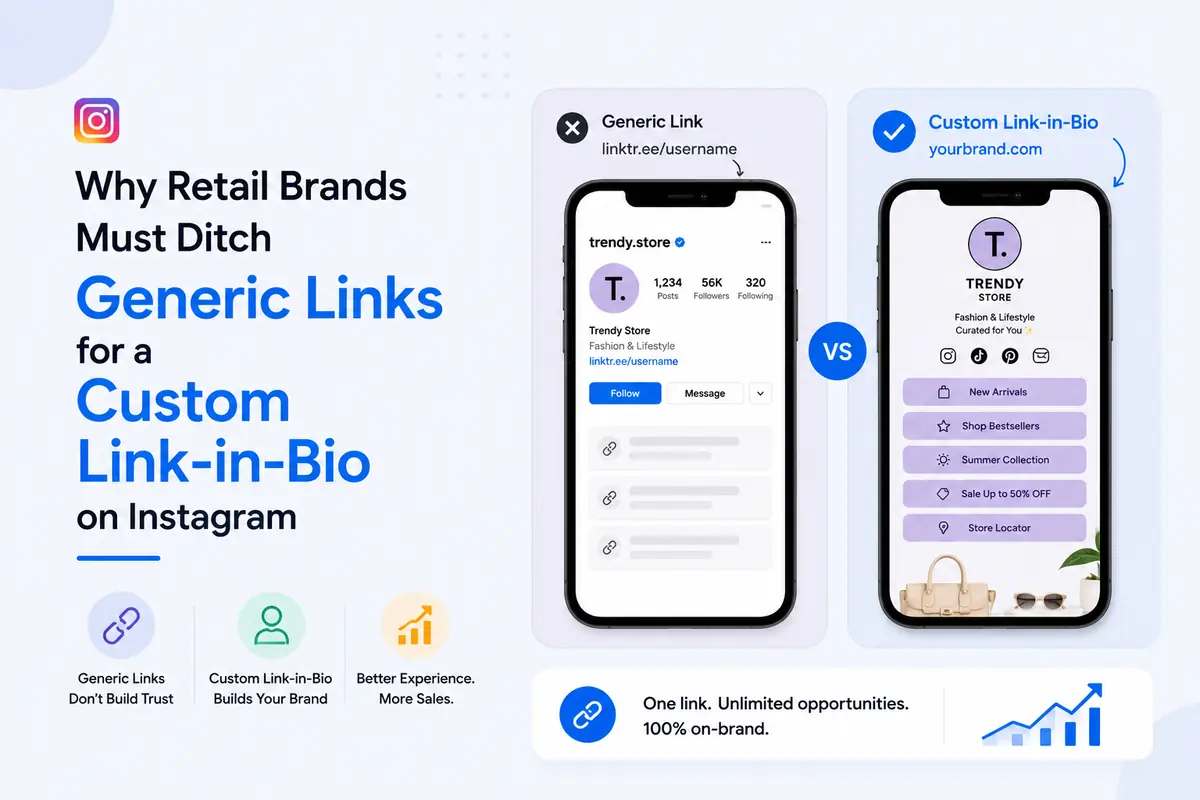
Why Retail Brands Must Ditch Generic Links for a Custom Link-in-Bio on Instagram

· 9 min read
SimpleURL Team
Product & Engineering

A generic link in your Instagram bio sends every follower to the same static page, no matter what post, Reel, or drop brought them there, which means most of your catalog never gets seen.

A custom link in bio for Instagram fixes this by giving each collection, drop, or offer its own trackable, on-brand destination, so the follower who just watched your Reel lands on that exact product instead of your homepage.

TL;DR

  • → One static link = one destination for every follower, regardless of intent
  • → Custom link-in-bio = the right product or drop, in front of the right follower, every time
  • → Generic subdomains read as "free tool." Branded links read as "real brand."
  • → No link-level tracking = no idea which drop, collection, or platform actually sells
  • → Retail catalogs need structure (collections, drops, seasons), not a flat list of buttons

A single generic link quietly buries most of what you sell, because it can only point to one place at a time.

  • Your Reel this week features a new arrival. Your bio link still points to last month's sale.
  • A follower has to leave Instagram, land on your full homepage, and search for the exact item they just saw.
  • Most don't. They close the tab.

That's the whole friction problem, in one sentence.

  • A follower who taps linktr.ee/yourbrand sees a stranger's tool before they see your brand.
  • For a retail brand trying to look premium, established, or trustworthy enough to hand over a card number, that's the wrong first impression at exactly the wrong moment.

Without per-link data, you cannot tell whether last week's Reel drove browsing, add-to-carts, or nothing at all. Instagram's own shopping data shows brands that tag and structure products for discovery see meaningfully higher engagement than those relying on a flat link. A generic bio link gives you none of that visibility.


  • For a retail catalog, the real difference isn't features on a spec sheet, it's whether the page can represent a collection instead of a link list.
  • A single generic link has one destination. A basic link-in-bio tool gives you a stack of buttons. A custom, retail-structured link-in-bio gives you a shoppable hub organized the way your store actually is, by drop, by collection, by season.

Pro tip: if you want the full side-by-side on Linktree, Later, Beacons, and SimpleURL feature by feature, we've already broken that down in Link in Bio vs. Linktree vs. SimpleURL. This piece is about what changes specifically once you're routing a product catalog, not a general tool comparison.


A custom link-in-bio converts better because it removes the extra searching between "I saw it" and "I bought it."

Routing followers straight to the exact drop or collection

Instead of one link for everything, you point each caption or Story to a specific section of your page, or a specific product link entirely. The follower who saw the drop in your Reel lands on the drop, not your full catalog.

On-brand pages that mirror your storefront

  • Wait, isn't Linktree free and good enough for my brand? For a hobby account, sure.
  • For a retail brand asking someone to trust you with a purchase, a page that carries someone else's branding and layout constraints works against you.
  • Your bio link should look like an extension of your storefront, same colors, same logo, same visual language, not a borrowed template.

Fewer taps between "I want that" and checkout

Every extra tap between desire and purchase loses a percentage of buyers. A page structured around your current drop removes taps instead of adding them.


A retail link-in-bio page needs structure a creator's page never has to think about, because you're routing a catalog, not a handful of links.

  • A featured drop or new arrivals slot, above the fold. Whatever you're pushing this week gets the top spot, full stop.
  • Catalog structure grouped by collection, not one long flat list of every SKU you've ever sold.
  • Visual consistency with your storefront, colors, logo, and product imagery that match, so the jump from Instagram to bio page to store feels seamless.
  • A path back to your full store and current offers, for the follower who wants to browse beyond the featured item.

Pro tip: swap your featured drop the same day it changes on your actual store. A bio link showing a sold-out item is worse than no bio link at all.

For layout mechanics like button hierarchy and mobile thumb-zone sizing, our design strategies guide covers that in depth. This is about what goes on the page for a catalog, not how the buttons are styled.


This takes under 15 minutes once your catalog links are ready.

  1. Map your current drops and collections. List what you want followers to reach this month, new arrivals, best sellers, a seasonal sale, your full store.
  2. Build your page in SimpleURL's Link-in-Bio tool. Add your logo, brand colors, and one link per collection or drop.
  3. Connect a branded domain and UTM tracking through Branded Domains and the UTM Builder, so every click is attributed to the post or platform that sent it.
  4. Update it around every launch. When the drop changes, the page changes, same day.

For the exact click-by-click walkthrough and platform-by-platform bio setup, our complete link-in-bio guide covers that step by step.


You prove ROI by tracking clicks per collection, not just total taps on your bio link.

  • Which drop gets clicked, so you know what to restock or promote further
  • Which platform sends buyers, Instagram Reels vs. Stories vs. feed posts, using UTM tags on each
  • How click volume compares to actual add-to-carts, since Instagram's average shopping checkout conversion sits in the low single digits, meaning most of your job is getting the right follower to the right product, not assuming everyone who clicks will buy

Check the short link analytics dashboard weekly. If a collection link is dead, replace it before it wastes another week of traffic.


Fashion and apparel

Lead with the current drop or new arrivals. Group secondary links by category (tops, bottoms, accessories) rather than by product name, since browsing behavior in fashion is category-first.

Beauty and skincare

Feature a hero product or routine bundle up top, with a secondary link to a quiz or routine builder if you have one. Beauty buyers respond well to "shop the routine" framing over a flat product grid.

Home, lifestyle, and accessories

Lead with a seasonal collection (new arrivals, gifting, a seasonal refresh) since home purchases are more occasion-driven than habitual. A secondary link to a "shop by room" or "shop by category" grouping helps browsers self-select.


  • Listing the entire catalog with no hierarchy. If every product has equal visual weight, nothing stands out and browsers leave without clicking anything.
  • Forgetting to swap the featured item after a drop sells out. Nothing kills trust faster than a follower clicking through to a "sold out" page for something you promoted an hour ago.
  • No tracking, so no idea what's actually selling. Without per-link data, you're deciding next week's content based on guesses, not on what your own traffic already told you.

Frequently Asked Questions

A page organized around your current drops or collections, with a branded domain and click tracking on each link, works best for retail specifically. General "best tool" rankings matter less than whether the tool can structure a catalog, not just list links.

For serious catalog and campaign tracking, yes. Linktree's free tier works for a simple link list, but retail brands need branded domains and per-product analytics that free tiers typically don't include.

Yes, if your link-in-bio tool supports per-link analytics. Each collection or product link should show its own click count, device type, and traffic source, not just one combined total for the whole page.

Use the same logo, brand colors, and product photography as your actual store, and connect a branded domain instead of a generic subdomain. Visual consistency is what makes the jump from Instagram feel seamless rather than jarring.

It helps by shortening the path between discovery and purchase. Instagram already drives significant product discovery, and a link-in-bio page structured around your current catalog turns that discovery into a shorter, clearer path to checkout instead of a dead end at your homepage.


Stop Sending Every Follower to the Same Dead End

Your catalog changes every week. Your bio link should too.

Build a branded, catalog-structured page with SimpleURL's Link-in-Bio, connect it to your own domain, and track exactly which drop your followers are actually clicking. Get started free and have your first collection live before your next post goes out.

Link in Bio vs. Linktree vs. SimpleURL: Which Tool Is Right for You in 2026?

· 5 min read
SimpleURL Team
Product & Engineering

If you've spent more than five minutes on Instagram or TikTok, you've seen the phrase "link in bio." But which link-in-bio tool should you actually use? In this guide we compare the most popular options — Linktree, Later, Beacons, and SimpleURL — so you can make an informed decision.

Social media platforms like Instagram and TikTok only allow one clickable link in your profile. A link-in-bio page solves this by letting you put a single URL in your profile that leads to a beautiful, custom page with multiple links — your latest video, your shop, your newsletter, your podcast episode, and anything else you want people to find.

Instead of constantly swapping out your one link, you point your profile to your link-in-bio page permanently and update the page contents whenever you need to.

The Main Contenders

Linktree

Linktree is the original and most recognised name in link-in-bio tools. It has over 40 million users and is straightforward to set up.

Strengths:

  • Very easy to get started — a page is live in under five minutes
  • Large library of integrations (Shopify, Mailchimp, etc.)
  • Free tier is genuinely functional

Weaknesses:

  • Free tier displays Linktree branding prominently
  • Limited design customisation on free and starter plans
  • No built-in short link or QR code tools — you need separate services for those
  • Analytics are basic on lower tiers
  • Pricing can escalate quickly for teams

Later is primarily a social media scheduling tool that added a link-in-bio feature to its offering.

Strengths:

  • Tightly integrated with Instagram post scheduling
  • Visual grid layout that maps directly to your Instagram feed

Weaknesses:

  • Designed for Instagram specifically — less useful if you're on TikTok or LinkedIn
  • Expensive if you only want the link-in-bio feature and not the full scheduling suite
  • Limited standalone value for creators not already using Later for scheduling

Beacons

Beacons is a newer entrant popular with TikTok creators and focuses heavily on monetisation features like tipping, paid content, and store functionality.

Strengths:

  • Strong monetisation tools built in
  • Good for creators who want to sell directly from their bio page

Weaknesses:

  • Higher learning curve
  • Monetisation features are overkill for businesses that just want to share links
  • Limited short link and analytics integration

SimpleURL

SimpleURL is the only tool in this comparison that combines a link-in-bio page with a full URL shortener, QR code generator, and branded domain support — all in one platform.

Strengths:

  • One platform for links, QR codes, link-in-bio, and analytics
  • Branded short links on your own domain (e.g., go.yourbrand.com/sale)
  • Full click analytics including location, device, and referrer
  • No third-party branding on your link-in-bio page even on lower tiers
  • QR codes auto-generated from your short links — ready for print campaigns
  • Link-in-bio page and short links share the same analytics dashboard

Weaknesses:

  • Fewer pre-built monetisation tools than Beacons
  • Less name recognition than Linktree

Feature Comparison

FeatureLinktree FreeLinktree ProBeaconsSimpleURL
Custom link-in-bio page
Remove brandingPartial
Custom domain✅ (add-on)
Built-in URL shortener
QR code generator
Click analyticsBasicFullBasicFull
Branded short links
Monetisation tools

Who Should Use Which Tool?

Use Linktree if: You want the simplest possible setup and the Linktree name gives you social proof with your audience. It's the safest default for someone who just needs "something" in their bio today.

Use Later if: You're already a Later subscriber for Instagram scheduling and want your link-in-bio integrated with your content calendar.

Use Beacons if: You're a creator whose primary goal is monetisation — selling content, taking tips, or running a digital storefront directly from your bio.

Use SimpleURL if: You want one platform that handles your short links, QR codes, and link-in-bio together with real analytics — and you want your brand name on every link, not someone else's. It's the best choice for small businesses, marketers, and creators who also run offline campaigns or need trackable links across multiple channels.

The Hidden Cost of Using Multiple Tools

The most overlooked factor in this decision is tool sprawl. If you use Linktree for your bio page, Bitly for short links, and a separate QR code generator for print materials — you're paying three subscriptions and checking three dashboards.

SimpleURL consolidates all three into one platform. For businesses running integrated campaigns (online + offline + social), having unified analytics across every link type is worth more than any individual feature comparison.

  1. Sign up at SimpleURL.com
  2. Go to Link in Bio in your dashboard and click Create Page
  3. Add your links, choose your layout, and upload your profile photo
  4. Copy your SimpleURL link-in-bio URL and paste it into your Instagram, TikTok, or Twitter bio

Your page is live instantly. Every click is tracked in your dashboard alongside your short link and QR code analytics.

Create your free link-in-bio page →